

Senseloom for demos and presentations
Follow up on every demo the same day.
Get the main points, every question people asked and the follow ups from each demo, webinar or presentation, ready to send the same day.
- Upload demos and webinars from any tool
- Summaries built for demos and presentations
- Share them with your team
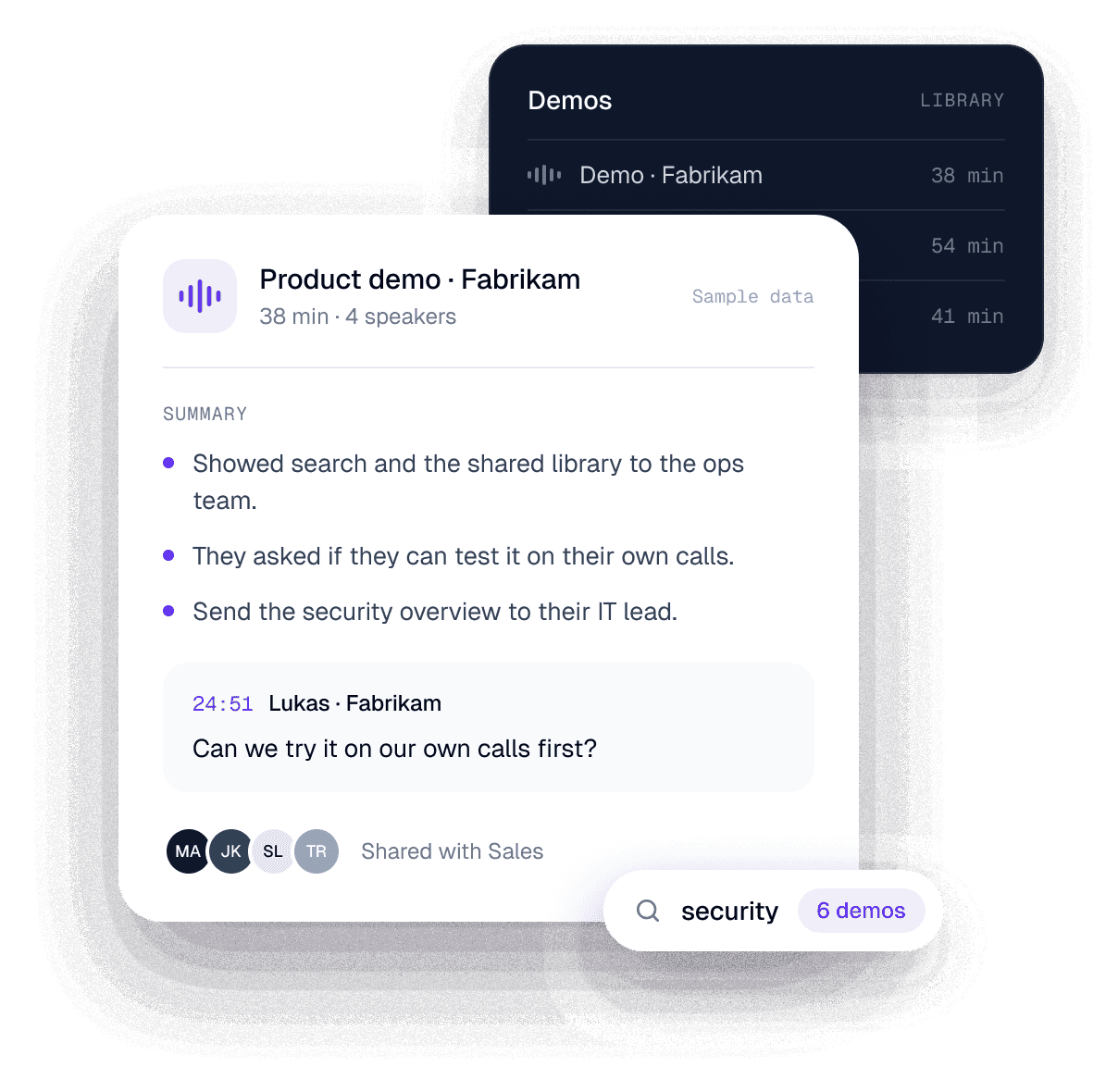
A demo, read for you
From the demo to the follow ups.
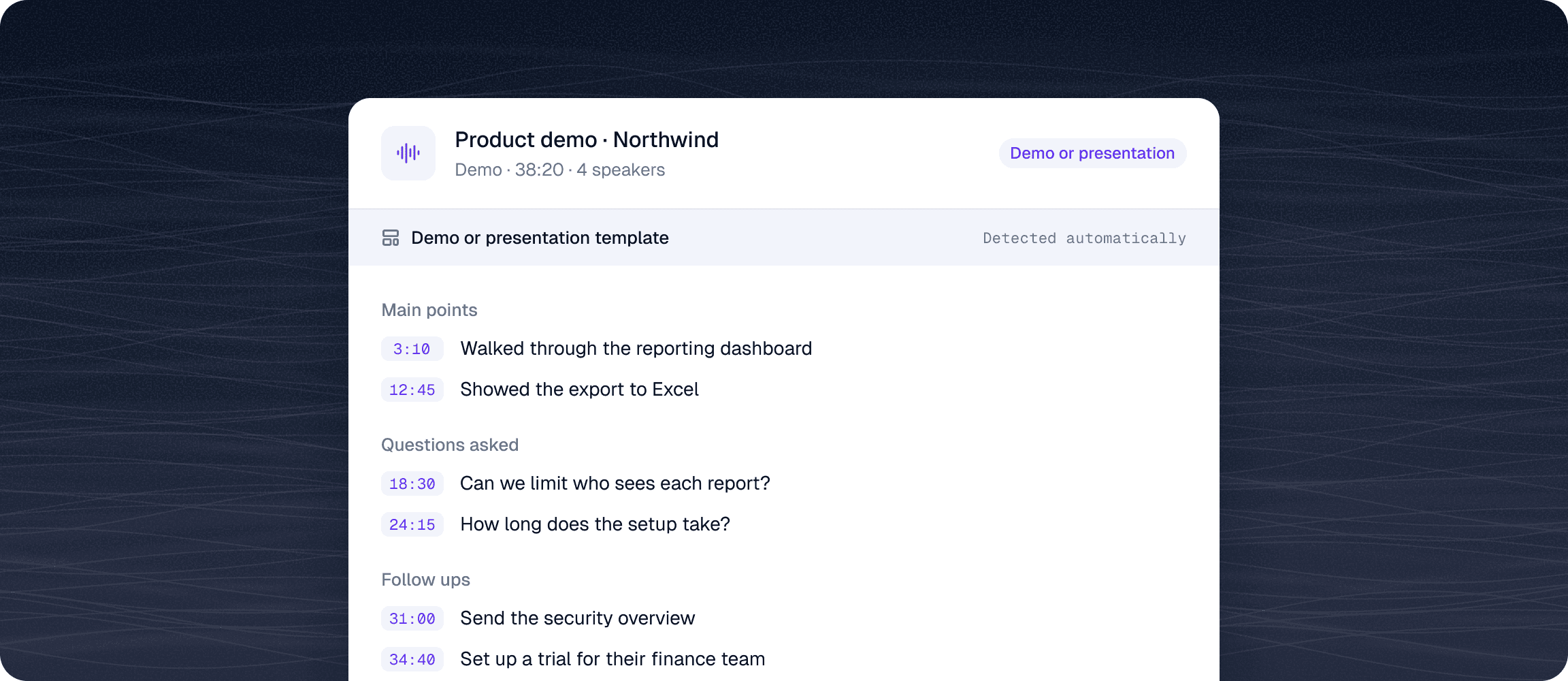
Senseloom gets every word and every speaker right first, then fills the demo template: main points, questions asked and follow ups, each linked to the moment it was said.
01 · The foundation
World class transcript accuracy
Built on leading speech AI, in 90+ languages and with every speaker labeled, so each line says who said it.
See accuracy by language →02 · On top
AI that does the work
Summaries shaped by the type of recording, your templates, playbook checks and answers in Claude or ChatGPT.
Why presenters use it
Stop guessing what the audience asked.
- 01
Every question in one list
The summary lists the questions people asked, so you can answer all of them in your follow up.
- 02
Follow ups that don’t get lost
Follow ups are pulled out of the recording, ready to send the same day.
- 03
Reuse what worked
Search past demos and see how you answered the same question last time.
For the whole team
Every demo in one place.
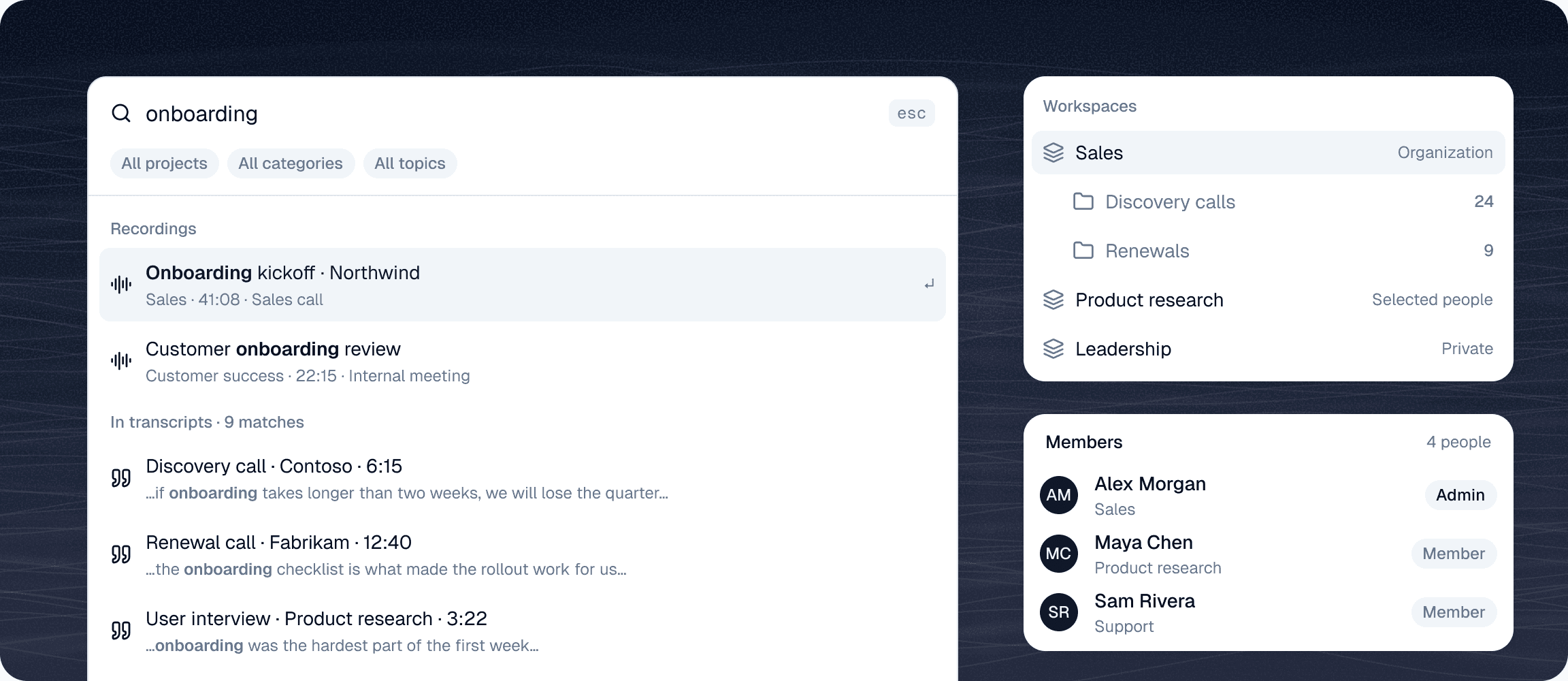
Search every word across your demos and webinars, keep them in your team's workspace and decide who sees what.
01 · Search
Search every word
Real full-text search across every transcript in your workspace. Find the exact moment, not just the file.
02 · Workspaces
A space for every team
Sales, product and support each get a workspace, open to the whole company, to selected people or private. Projects keep it in order.
03 · Roles
The right access for everyone
Invite your team as admins or members. Admins manage people and settings, everyone else gets straight to work.
04 · Sign in
Secure sign in
Sign in with Google or with your email address. Enterprise SSO on request.
Talk to us about SSO →


Claude, ChatGPT and MCP
Take your calls into Claude or ChatGPT.
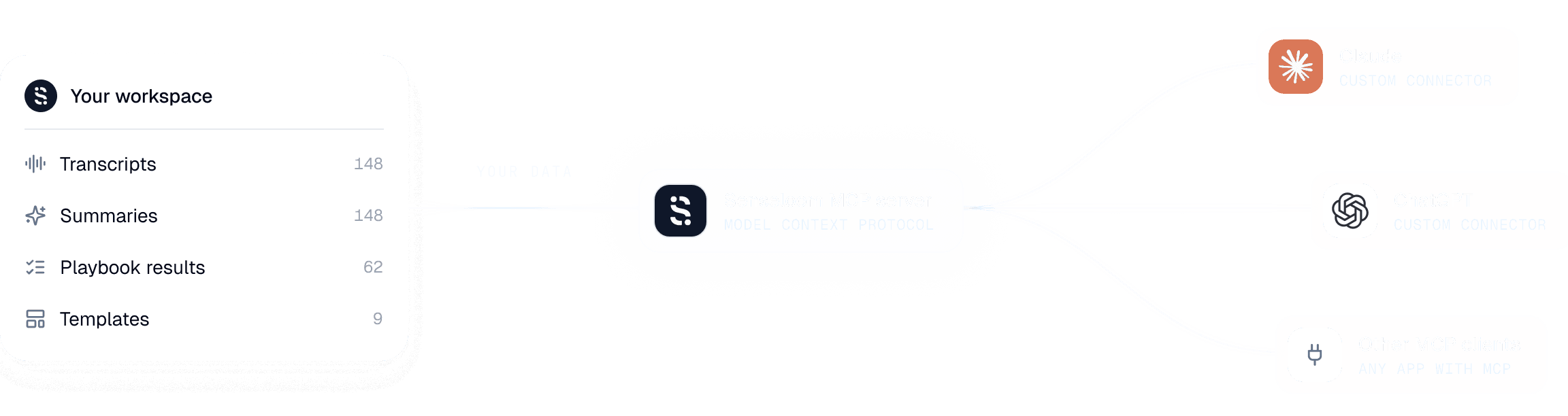
Connect Senseloom to Claude or ChatGPT through MCP and ask across your demos, for example which questions came up most this month.
- Works with Claude, ChatGPT and other MCP clients
- You choose which workspace it can read
- Answers point back to the call and the second
Privacy & GDPR
Your data is stored in the EU.
Made for European teams that record customers and colleagues and work with personal data under GDPR.
01 · Residency
EU data residency
Recordings, transcripts and AI results are stored in the EU.
02 · Training
No AI training
Your recordings are never used to train AI models, ours or anyone else's.
03 · Retention
Zero data retention
The AI providers we work with keep nothing once your request is done.
Pricing
Start free. Pay only for what you use.
Start on Free and move to Pro when your team needs more. Pro has no subscription. You buy credits only when you need them.
What's included
- 5 free credits a month
- 1 person
- 1 playbook, checked on every call
- 50 MCP calls a day
Everything in Free, plus
- Credits as you need them, no subscription
- Your whole team, one shared balance
- Unlimited playbooks
- No daily limit on MCP calls
Compare plans
Not sure which plan fits?
Both plans include transcripts, summaries, templates, search and export. The pricing page compares every limit and explains how credits work.
FAQ
Questions
Demos, consent and your data. Can't find an answer? Talk to us.

Try Pro free for 14 days.
Upload your first demo and get a transcript and a summary in minutes. No subscription.
Start 14 day free trial